Introduction
Remember the old arcade games where a tiny ball bounced around the screen while you tried to smash rows of bricks? Google’s modern take on that classic idea has brought the same excitement back to browsers and mobile devices. The Google Block Breaker game is simple to learn, surprisingly addictive, and perfect for short gaming sessions during a break.
Whether you are a casual player looking for fun or someone chasing a high score, this guide covers everything you need to know: how the game works, controls, power-ups, strategies, common mistakes, mobile support, and expert tips to improve your performance.
What Is Google Block Breaker?
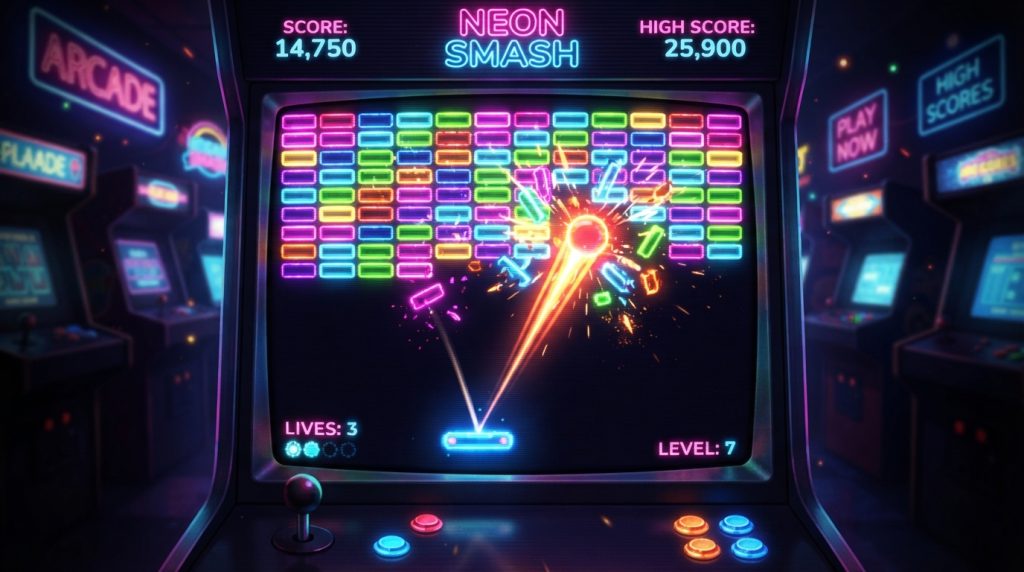
At its core, Google Block Breaker is a modern brick-breaking arcade game. Players control a paddle at the bottom of the screen and bounce a ball upward to destroy blocks arranged in patterns. Each cleared level introduces new challenges, faster gameplay, and more complex layouts.
The game became popular because it combines nostalgia with modern design. Many people compare it to classic titles such as Atari Breakout and Arkanoid, but it feels smoother and more accessible in today’s web browsers. The colorful graphics, quick rounds, and satisfying block-breaking effects make it easy to play “just one more game.”
How the Game Works
The objective is straightforward: keep the ball in play and destroy every block on the screen. If the ball falls below your paddle, you lose a life. Clear all blocks before running out of lives, and you advance to the next stage.
Think of the paddle as a tennis racket and the ball as a fast-moving tennis ball. Your job is not only to hit it back but also to control its angle. Skilled players intentionally direct the ball toward hard-to-reach bricks, creating efficient paths through the level.
How to Access Google Block Breaker
One reason the game has spread so quickly is its convenience. You can usually access it directly through a web browser without installing large files or creating an account. Many players simply search for the game and start playing within seconds.
Because it runs online, it works well on desktop computers, laptops, tablets, and smartphones. This makes it an ideal choice for quick entertainment during lunch breaks, commuting, or relaxing at home.
Controls for Desktop and Mobile
Desktop Controls
-
Move the paddle with the mouse.
-
Some versions support left and right arrow keys.
-
Pause or restart options may appear in the game menu.
Mobile Controls
-
Swipe left or right.
-
Tap and drag the paddle.
-
Responsive touch controls make the game easy to play with one hand.
Mobile gameplay feels surprisingly smooth. The paddle follows your finger movement, allowing quick reactions even when the ball speeds up dramatically.
Power-Ups That Can Change the Game
Power-ups add excitement and strategy. Instead of simply bouncing a ball forever, players can collect special bonuses that fall from broken blocks.
Common Power-Ups
|
Power-Up |
Effect |
|---|---|
|
Extra Ball |
Adds another ball to the screen |
|
Multi Ball |
Creates several balls at once |
|
Paddle Expansion |
Makes the paddle wider |
|
Laser |
Lets the paddle shoot projectiles |
|
Slow Motion |
Reduces ball speed temporarily |
|
Shield |
Protects the bottom of the screen |
Learning when to grab a power-up is just as important as learning how to hit the ball. Sometimes chasing every bonus can actually put you in danger.
Levels and Increasing Difficulty
Early stages are forgiving and help players learn the mechanics. As you progress, the game introduces:
-
Faster ball speeds
-
Stronger blocks
-
Unusual brick patterns
-
Moving obstacles in some versions
-
More precise timing requirements
This gradual increase in challenge keeps the game engaging. It is similar to climbing a hill that slowly becomes steeper—you barely notice the difficulty rising until you realize how much better you have become.
Best Strategies for Higher Scores
Control the Angle
Hitting the ball near the paddle’s edges changes its direction more dramatically. This helps you target isolated bricks.
Stay Near the Center
Many beginners chase the ball too aggressively. Staying centered gives you more time to react.
Prioritize Special Blocks
If certain blocks release power-ups, target them first.
Watch Ball Speed
As the game accelerates, shorter paddle movements become safer than large swings.
Practice Timing
Great players rely on rhythm rather than panic. After a few rounds, you will start predicting where the ball will land.
Common Beginner Mistakes
Moving Too Fast
Overreacting often causes missed shots.
Ignoring Ball Angles
Simply hitting the ball upward is not enough. Direction matters.
Chasing Every Power-Up
Sometimes a falling bonus is not worth abandoning your position.
Losing Focus After Success
Many players clear most of the level and then make a careless mistake. Stay focused until the final block breaks.
Google Block Breaker vs. Atari Breakout
|
Feature |
Google Block Breaker |
Atari Breakout |
|---|---|---|
|
Graphics |
Modern and colorful |
Retro style |
|
Power-Ups |
Multiple types |
Limited |
|
Browser Access |
Easy online play |
Varies by version |
|
Difficulty Curve |
Progressive |
Classic arcade challenge |
Both games are enjoyable, but the modern version adds more variety and visual appeal.
Can You Play on Mobile?
Yes. The game works well on Android phones, iPhones, and tablets. Touch controls make it surprisingly comfortable to play, and the shorter game sessions fit mobile gaming perfectly.
Many players actually prefer mobile because swiping the paddle feels more direct than using a mouse.
Why People Love This Game
The appeal comes from a combination of factors:
-
Easy to learn
-
Quick matches
-
Satisfying sound and visual effects
-
Nostalgic arcade feeling
-
Works almost anywhere
It is the kind of game that turns a five-minute break into twenty minutes before you realize it.
Conclusion
The Google Block Breaker game succeeds because it takes a timeless arcade idea and makes it accessible to modern players. The rules are simple, the controls are intuitive, and the challenge grows at a satisfying pace. Whether you play on a desktop or a phone, the game offers a fun mix of skill, timing, strategy, and nostalgia.
If you enjoy quick arcade experiences that are easy to start but difficult to master, this is definitely worth trying. Just be warned: once you start chasing a higher score, it can become surprisingly addictive.
Frequently Asked Questions
Is Google Block Breaker free to play?
Yes. Most browser versions can be played for free without downloading large files.
Can I play Google Block Breaker on my phone?
Yes. The game works on Android and iPhone devices with touch controls.
What is the main goal of the game?
The goal is to keep the ball in play and destroy all the blocks on the screen.
Are there power-ups in Google Block Breaker?
Yes. Common power-ups include extra balls, paddle expansion, lasers, shields, and slow-motion effects.
Is Google Block Breaker the same as Atari Breakout?
Not exactly. It is inspired by classic brick-breaking games like Atari Breakout but includes modern graphics and additional gameplay features.